
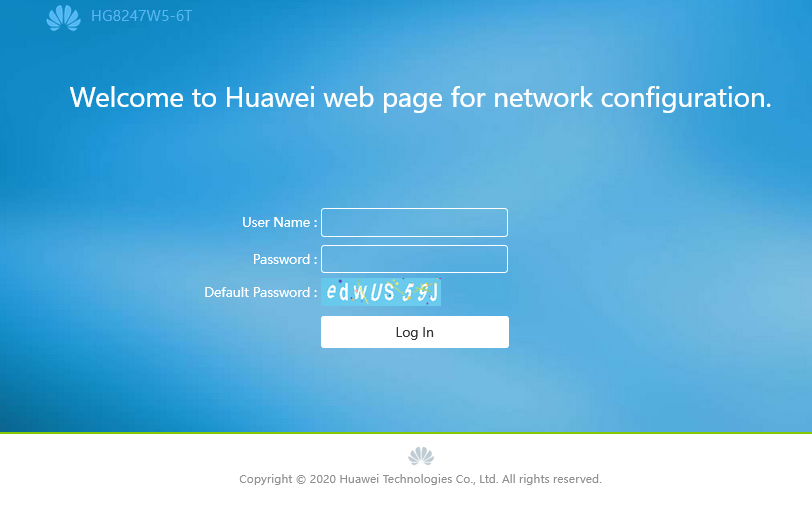
Login เข้า Router
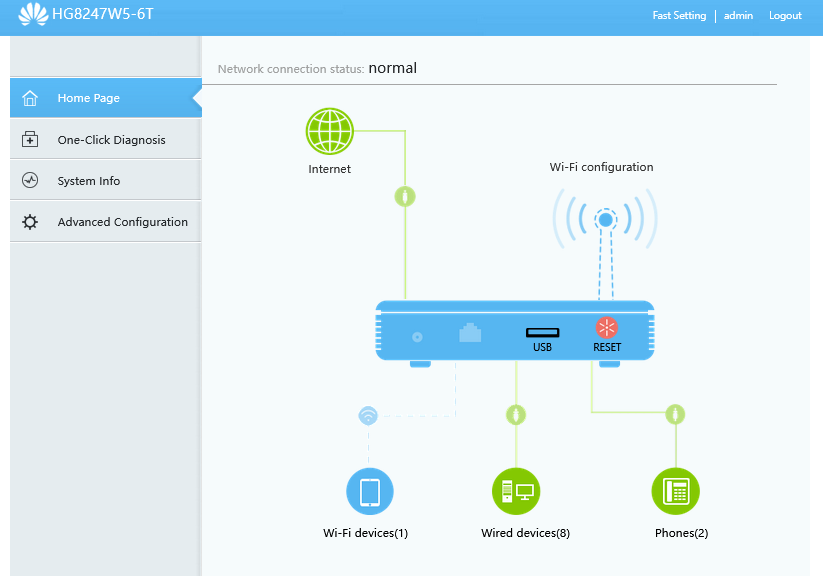
เข้า Home Page คลิกที่รูป USB
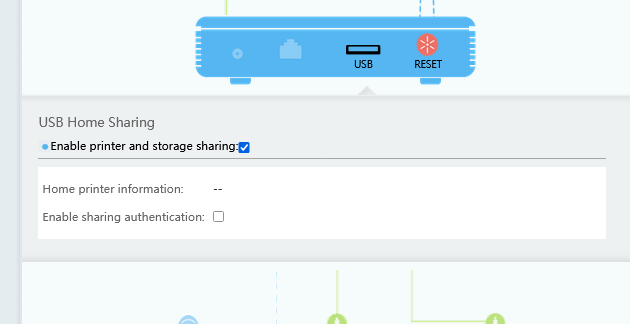
เปิด Enable printer and storage sharing และ Enable sharing authentication
กดเลือก New
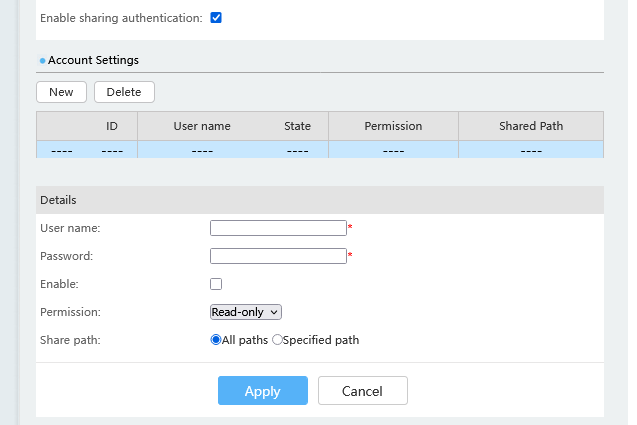
กรอก User name และ Password
กด Enable Permission เป็น read-write
Share path เป็น All paths กรอกเสร็จแล้ว กด Apply
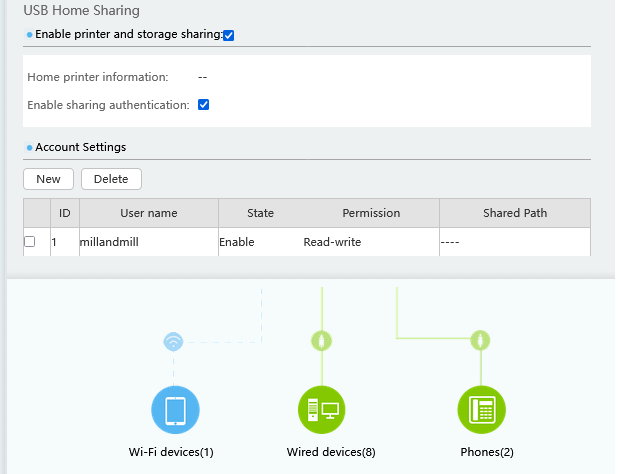
บน Windows เข้า windows explorer กรอก \\[ip ของเราเตอร์] ถ้าขึ้น Network Error
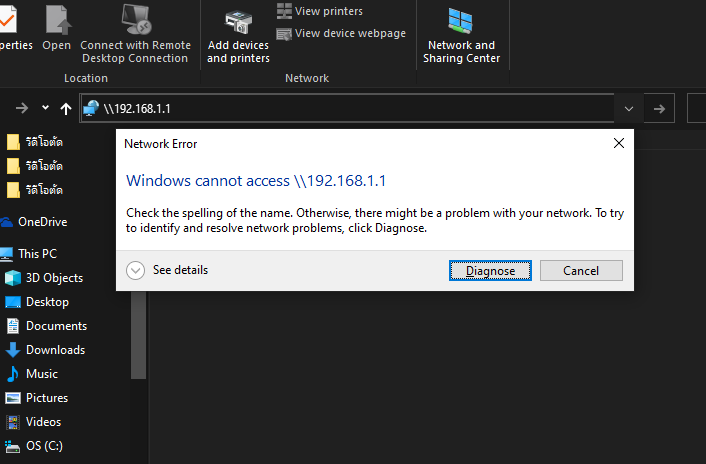
แสดงว่า Windows 10 ในเครื่อง ไม่ได้เปิด SMBv1 เราต้องไปเปิดมันก่อน
เข้า Control Panel\All Control Panel Items\Programs and Features
กดเมนู Turn Windows Features on or off
กดเลือก SMB 1.0/CIFS File Sharing Support
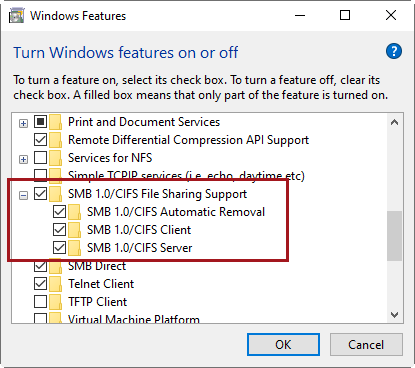
กด OK และ restart computer
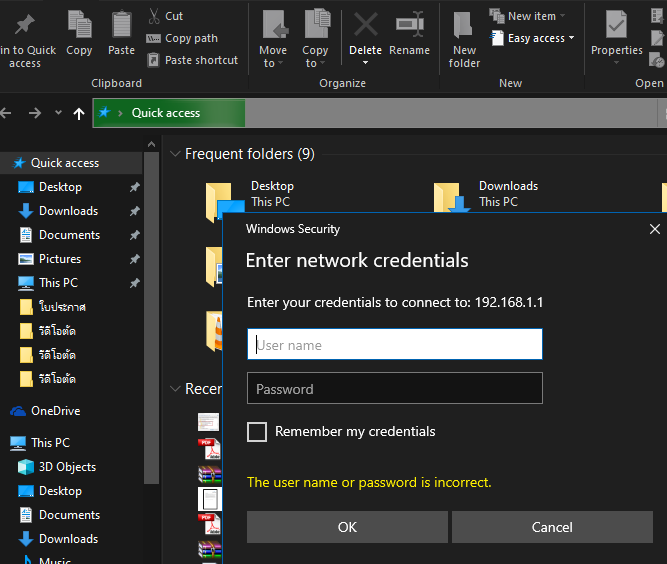
เข้า windows explorer กรอก \\[ip ของเราเตอร์] อีกครั้ง Windows จะขึ้น pop-up Windows Sercurity กรอก User Name และ Password ที่เราตั้งไว้ ใน
Account Settings ใน router แล้วกด OK
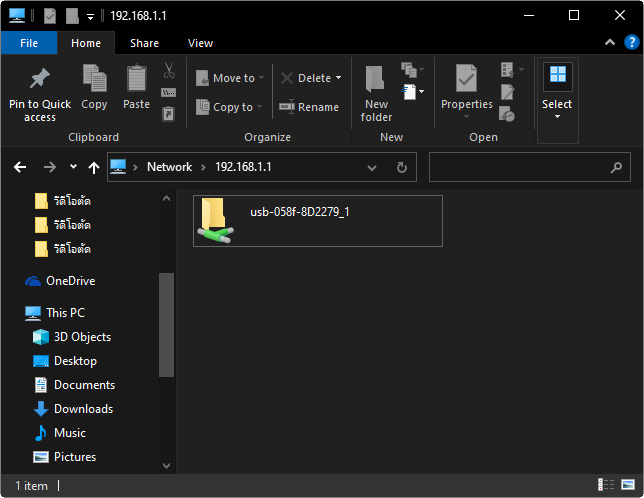
เมื่อเข้าได้แล้ว จะปรากฏข้อมูลใน Flash Drive ตามรูป