

ใส่ใน Command ใน Shortcut Properties ของ linux mint
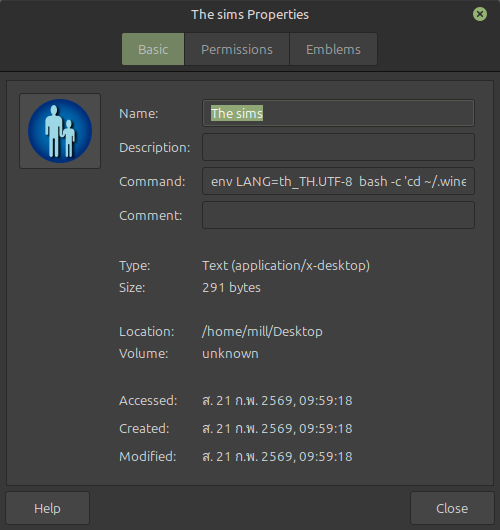
วิธีใส่ -r1024x768 ใน shortcut
กรณี The sims อยู่ในตำแหน่ง :
/home/mill/.wine/drive_c/Program Files (x86)/Maxis/The Sims/Sims.exe
bash -c 'cd ~/.wine/drive_c/Program\ Files\ \(x86\)/Maxis/The\ Sims/ && wine Sims.exe -r1024x768'
ใส่หลัง Sims.exe ตรง ๆ ได้เลย
ตัวเลือก resolution ที่ใช้ได้
The Sims 1 รองรับ:
-r800x600
-r1024x768
(บาง expansion ต้อง patch ก่อนถึงใช้ 1024×768 ได้)
⚠️ หมายเหตุสำคัญ
1.ต้องมี expansion หรือ patch
เช่น:
- Livin’ Large
- Hot Date
- หรือ Complete Collection
ไม่งั้น 1024×768 จะไม่ทำงาน
2.แนะนำเปิด fullscreen
ถ้าอยาก fullscreen จริง:
wine Sims.exe -r1024x768 -f
3.ถ้า resolution ไม่เปลี่ยน
ให้ลอง:
- เปิด winecfg → Graphics → Virtual Desktop
- ตั้งเป็น 1024×768